How to Book the Shinkansen Online With SmartEX (Tokyo to Kyoto and Osaka)
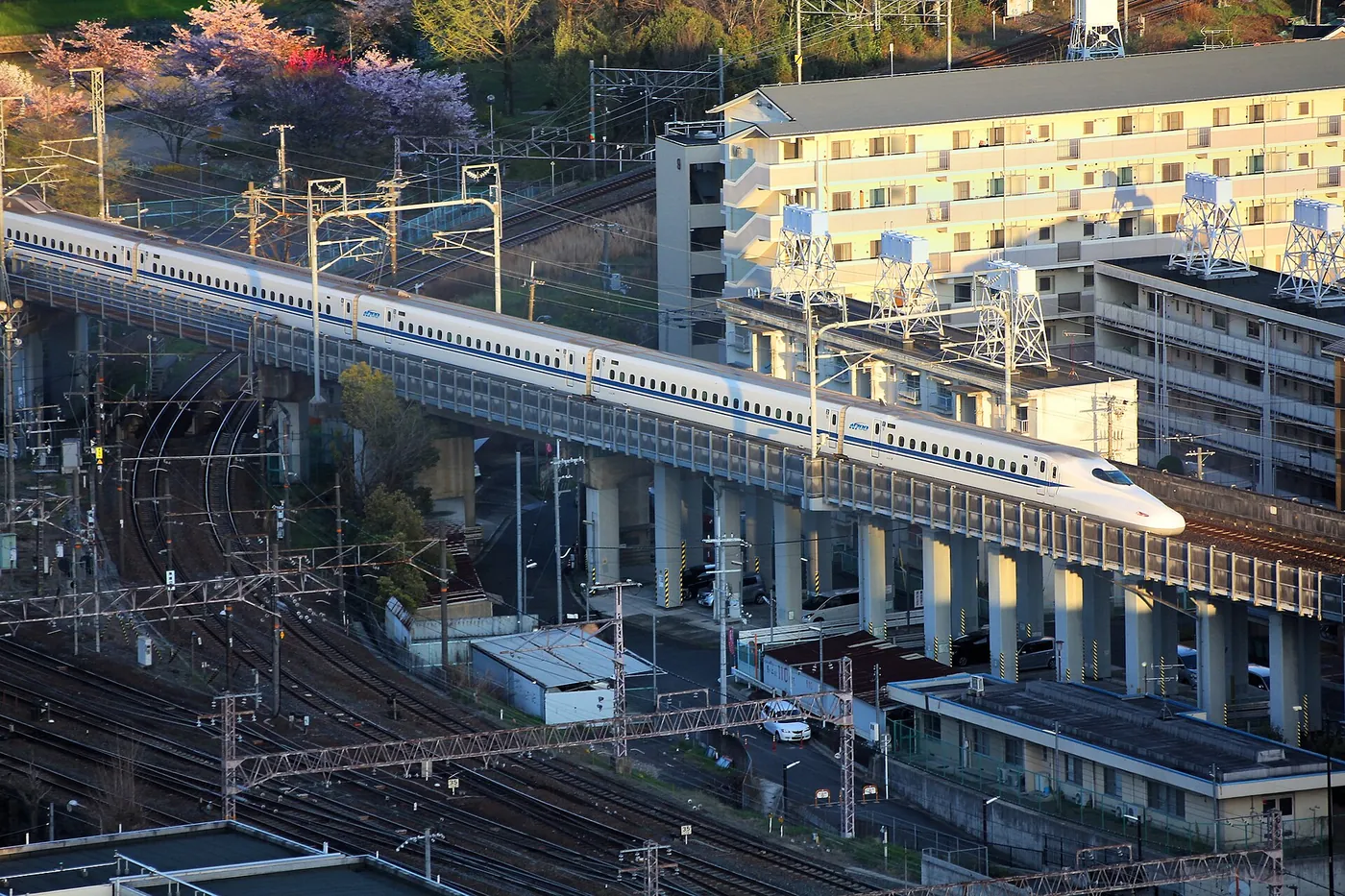
Photo: Marek Ślusarczyk (Tupungato) / CC BY 3.0 (resized) · Wikimedia Commons
ADThis article contains affiliate links. If you book through them, we may earn a commission at no extra cost to you. How we make money
A step-by-step guide to booking Tokaido Shinkansen seats online with SmartEX. What you need to register, when booking opens, how to board with a QR ticket or IC card, what to do when your card or login fails, and how changes and refunds work.
SmartEX is the official online booking service for the Tokaido, Sanyo and Kyushu Shinkansen, run by JR Central, JR West and JR Kyushu. It covers the main Tokyo–Nagoya–Kyoto–Osaka–Hiroshima–Hakata line, and you can book from your phone without queuing at a ticket window.
This guide follows SmartEX's own pages. It explains how to register, how to book, and how to board.
The short answer
- You need a SmartEX membership and a credit card. You must be 18 or older to register.
- One ticket covers the whole ride. SmartEX combines the basic fare and the limited express ticket. It is for the Tokaido, Sanyo and Kyushu Shinkansen only.
- You board with a QR ticket or an IC card. No paper ticket is needed. You can also pick up paper tickets.
- It cannot be combined with the Japan Rail Pass. SmartEX says so on its "Points to Note" page.
Does SmartEX cover your route?
SmartEX only sells the Tokaido, Sanyo and Kyushu Shinkansen, between Tokyo and Kagoshima-Chuo. That includes Tokyo, Nagoya, Kyoto, Shin-Osaka, Hiroshima and Hakata. Conventional trains to or from your Shinkansen station are paid separately.
For any other section, SmartEX's own FAQ says to buy at a station ticket office. Two common cases:
- Tokyo to Kanazawa (Hokuriku Shinkansen): not on SmartEX. JR West's English online reservation service lists the Hokuriku Shinkansen (Kanazawa to Tokyo) in its booking area. Its booking opens at 10:00 am Japan time, one month before the travel date.
- Tokyo to Sendai, Niigata or other northern routes: not on SmartEX. Buy at a station, or check JR East's own booking site.
If your trip is mostly Tokyo–Kyoto–Osaka–Hiroshima, SmartEX is the one to use.
Register first
You need a membership before you can book. Have your credit card ready.
- Open the SmartEX site and tap Register.
- Enter your email address. SmartEX sends a registration link, so set your inbox to accept emails with links and from the @expy.jp domain.
- Agree to the Membership Agreement and Privacy Policy.
- Enter your name, date of birth, a login password and your credit card details. Registering an IC card is optional.
- Confirm, and wait for the email with your membership ID.
A few details from the official page:
- Your login is a 10-digit membership ID and a password of 4 to 8 characters.
- SmartEX recommends an ordinary credit card. Mini cards and virtual cards without a physical form cannot be used for some services, such as refunds.
- Debit and prepaid cards may be refused, because of how their payments are checked.
- SmartEX uses 3D Secure. If your card is not set up for it, you may need to enter the security code each time you book, or you may not be able to use the service.
- Payment is taken in yen. Any foreign transaction fee depends on your agreement with your card company.
- You may not be able to pick up paper tickets from a machine on the same day you register.
Register before you leave home
Register a few days ahead. That gives you time to fix any card or email problem, and the booking window opens long before your trip.
Is there a SmartEX app?
Yes. SmartEX's official English page lists a SmartEX app on the App Store and Google Play, offered for users in the United States, Canada, Australia, Singapore, Hong Kong, Malaysia and Thailand. Users in Taiwan get a separate app linked from the same page. On Android, the app is named "smart Ex App" when you download it in Japan.
You do not need the app to travel. The same page sends you to the website to register, and says your ticket is a QR code on your phone that you find in your ticket confirmation after logging in to the reservation site. The page does not list any feature that only the app has, so if you book once or twice, the website on your phone is enough. Download the app from the links on SmartEX's own page rather than searching the store, so you get the version for your region.
Nozomi in peak periods
During peak periods such as long holidays, all Nozomi trains on the Tokaido–Sanyo Shinkansen run with reserved seats only, so you must buy a reserved seat in advance to ride one. Book early if your trip falls in a holiday period.
When can you book?
- Booking opens at 5:30 am, one year before the boarding date, and closes 4 minutes before the train leaves. You can book 24 hours a day, except during system maintenance.
- If you book more than a month ahead, the exact train and seat are not confirmed yet. The times shown can change. About a month before travel, SmartEX confirms the train, times and seat and emails you. Check SmartEX's reception-times page for the exact time of day.
- Between 11:30 pm and 5:30 am the seat map is not available, and a single reservation is limited to 3 people. Seats you request overnight are confirmed after 5:30 am.
- One reservation can cover 1 to 6 people.
Booking step by step
- Log in with your membership ID and password.
- Tap Search Train.
- Choose the date, time, departure and arrival stations and number of people.
- Tap Continue and choose a train. Seat availability shows as ○ (available), ▲ (limited availability) or × (sold out).
- Choose a fare and seat type. You can pick Ordinary Car reserved, Green Car (first class) or non-reserved, and a window or aisle seat. If you travel with large luggage, choose a seat with an oversized baggage area here (see below).
- Check the details and tap OK Purchase. Payment is taken at this point.
- You get a confirmation email, and the booking appears under My Trips.
Good to know:
- Train types: Nozomi, Mizuho, Hikari, Sakura, Kodama and Tsubame are all covered.
- Non-reserved seats work on any non-reserved car on that date and route.
- Running late? If you miss your reserved train, you may board a later Shinkansen on the same day using a non-reserved seat in an Ordinary Car.
- Connections: You can combine up to three trains in one booking.
- Valid on the booked date only. Reserved and non-reserved tickets are only valid on the boarding date you chose.
- Round-trip discount: the "smartEX round trip" service ended on March 31, 2026 for travel from April 1, 2026.
Boarding: three ways
1. QR ticket
Open My Trips, tap Details and then Display QR-Ticket. You can save it to Apple Wallet (iOS), print it or email it to yourself. Use a Shinkansen ticket gate with the QR mark and hold the code to the scanner. You need the QR ticket again at your exit gate.
2. IC card
If you registered an IC card, just tap it at the gate. The Shinkansen fare is charged to your credit card at booking, not taken from the card's balance. If you enter through a conventional line gate, for example Tokyo Station's Marunouchi entrance, tap your IC card at both the conventional gate and the Shinkansen gate. Our guide to Suica and Welcome Suica explains the cards.
3. Paper ticket
You can also pick up paper tickets at stations. You need your pickup code and login password.
Take your "Seat Information"
When you pass through the Shinkansen gate with a QR ticket or IC card, pick up the "Seat Information" slip. Without it, you are charged the basic fare and limited express ticket for the section and facility you use. Train staff may check it on board.
Changes and refunds
- Changes are free before you enter the ticket gate or pick up a paper ticket, and up to the departure time of the booked train. You can change as many times as you like. Each change charges the new fare and refunds the old one, so foreign transaction fees may apply each time.
- A substitute train can be selected up to 4 minutes before departure.
- Refunds are available up to the departure time, before you use the gate or pick up a ticket, but a charge is deducted. SmartEX lists the amounts on each product page.
- If a typhoon or severe delay affects your trip, you may be able to refund for free. SmartEX shows an emergency notice at the top of the screen when this applies.
- After departure, you cannot refund yourself. A partial refund is processed automatically on or after the next day.
SmartEX not working? Common problems
Your credit card is refused
SmartEX accepts Visa, Mastercard, JCB, American Express, Diners Club and Discover. If registration fails, SmartEX's FAQ suggests these checks:
- Check the card number, expiry date and 3D Secure password.
- Remove hyphens and periods from the cardholder name. SmartEX cannot register them. Type a space instead of a hyphen, and leave out periods.
- Check that 3D Secure works. It goes by Visa Secure, Mastercard ID Check, J/Secure (JCB), American Express SafeKey or ProtectBuy (Diners Club). If your card is not enrolled, you may not be able to register. Ask the card company on the back of your card.
- Ask about overseas payments. Some card companies limit overseas settlement, and some cards are refused for security reasons.
- Avoid debit and prepaid cards. The card issuer may refuse them.
If it still fails, SmartEX suggests contacting your card company or trying another card. A small charge of 1 yen may appear when you register a card; SmartEX's FAQ covers this.
The registration email does not arrive
Set your inbox to accept emails from the @expy.jp domain and emails that contain links, then try again. SmartEX also sends one-time passwords by email, for example when you reset your password. It recommends registering more than one email address, because you cannot use the service if no email reaches you.
You forgot your membership ID or password
- Membership ID: it is in SmartEX's emails, such as your reservation confirmation. Or tap Forgot your ID? on the login menu and enter your name, date of birth and email. SmartEX emails the ID to you.
- Password: tap Forgot your password?, enter your membership ID, name, date of birth and email, and SmartEX emails a one-time password. Use it to set a new password.
If the one-time password email never arrives, SmartEX says you need to register again.
The seat map does not appear
Between 11:30 pm and 5:30 am Japan time, the seat map is not available and one reservation is limited to 3 people. Your request is processed in order after 5:30 am. If you book more than a month ahead, the train and seat are confirmed later by email, so you cannot fix your exact seat yet.
You missed your train
You may board a later Shinkansen on the same day in a non-reserved seat in an Ordinary Car. Your reserved seat is not kept.
Before you go
- Register and confirm your membership ID by email
- Choose an ordinary credit card, and make sure 3D Secure works
- Decide on your boarding method: QR ticket or IC card
- Measure your suitcase: see our guide to Shinkansen luggage rules
- Compare costs with the pass: see is the JR Pass worth it?
- Plan your arrival in Kyoto with our guide to buses and subways in Kyoto
If SmartEX registration does not suit you
SmartEX is the official route, but it is not the only place to buy a reserved seat. Klook also sells Shinkansen tickets for popular routes such as Tokyo to Kyoto. When we checked on November 11, 2026, its listing showed fares from about US$95 and marked some trains with QR code boarding and a changeable ticket. Prices vary by train and date.
The change and refund rules for a ticket bought this way are the seller's, not SmartEX's, so read them for your exact train before paying.
Frequently asked questions
How old do I need to be to use SmartEX?
You must be 18 or older and have a credit card.
Can I book for my friends or family?
Yes. People other than the member can travel on your booking, up to 6 per reservation. They can board with a QR ticket you print, send or add to Apple Wallet, with their own registered IC cards, or with paper tickets you pick up at a station machine.
Can I book children's tickets?
Yes. Enter the number of children under "Number of Persons". SmartEX counts 12 and older as adults and 6 to 11 as children. Children aged 1 to 5 ride free, but need a child ticket in some cases, such as when they use a reserved seat on their own. Some discount fares have no child option.
Can I use SmartEX with the Japan Rail Pass?
No. SmartEX tickets cannot be combined with the Japan Rail Pass. Use the pass's own seat reservations instead.
Does SmartEX cover the Hokuriku or Tohoku Shinkansen?
No. It only covers the Tokaido, Sanyo and Kyushu Shinkansen. See Does SmartEX cover your route? above.
Make it a splurge
Since October 1, 2026, some trains also have Supreme Class private cabins, booked only through Smart EX. See our Supreme Class guide.
Sources
- SmartEX: official English page and app links
- SmartEX: Make Reservations
- SmartEX: How to Register
- SmartEX: smartEX Service
- SmartEX: Reception Times
- SmartEX: Points to Note
- SmartEX: Boarding with QR-Ticket
- SmartEX: Boarding with an IC card
- SmartEX: Change Reservations and Refund Reservations
- SmartEX: If You Forget Your ID or Password
- SmartEX: 3D Secure
- SmartEX FAQ: I can't register my credit card, age, other boarding sections, passengers other than the member, children
- JR West: Online Train Reservation conditions
Information checked on November 10, 2026. Troubleshooting, FAQ and route sections checked on November 15, 2026. App and peak-period Nozomi sections checked on November 17, 2026.
Prices change
Prices, exchange rates and rules in this article were checked on the date shown above. They can change at any time, so please confirm on the official website before you book or buy.